Lab
ESP Labs
By @abderrahmen_g. ESP32-S3 with a live pinout and the firmware explained line by line.
Made with ClaudeSpanish and EnglishFreeNo account
 Open on its site
What it is
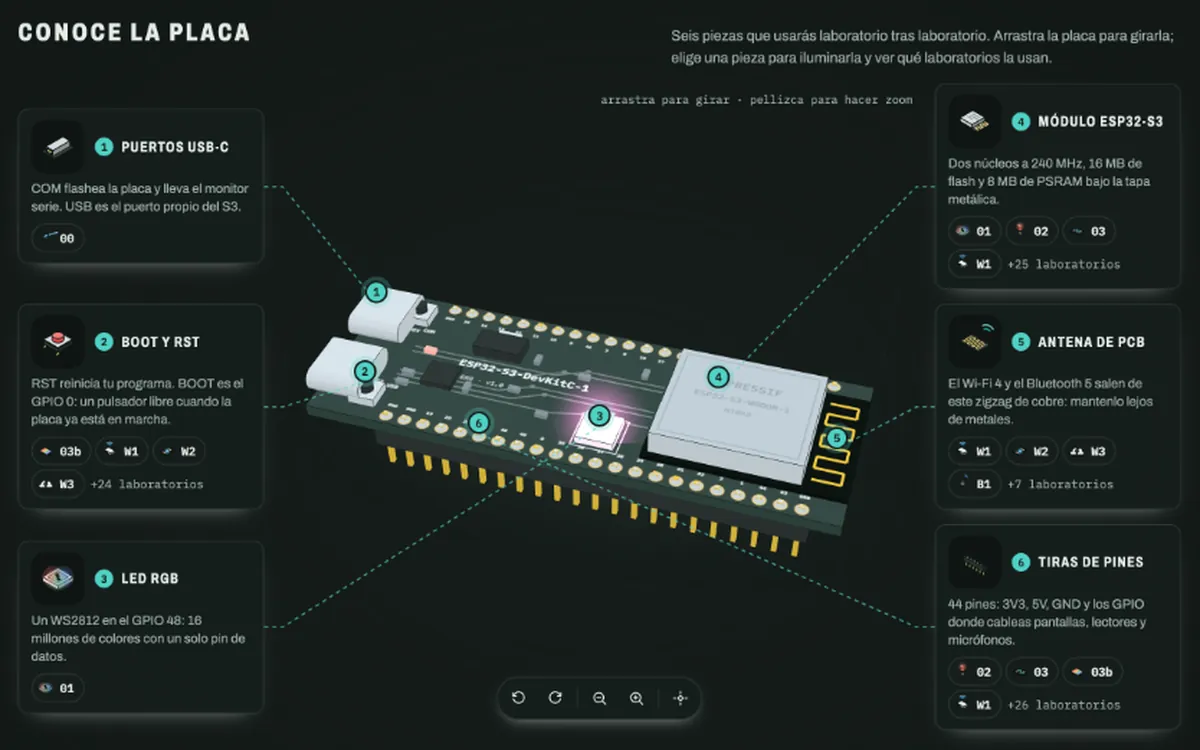
It was made by a software developer who wanted to learn hardware, as he tells it. It is built for the ESP32-S3: you see how everything connects and understand what each part does before wiring the board. It has a live pinout, wiring diagrams, simulators in every lesson and a code reader that explains the firmware line by line. You don’t just see what the board does: you see which part of the code makes it happen.
- Made for the ESP32-S3
- Code reader that explains the firmware line by line
- The page lists 7 of 32 labs working on the board and 25 ready to try (Oct 25, 2026)
- Its author added the Spanish version on October 24
What you learn
- Your first program and your first circuit with the RGB LED
- Driving the 1.9″ screen and the buttons
- Wi-Fi: scan networks, connect, serve pages and over-the-air updates
- RFID and NFC, Bluetooth LE and sound
What it is for
- Move from Arduino to ESP32 understanding what changes
- Read real firmware before flashing it to your board
- Have a guide if you already own an ESP32-S3 and don’t know where to start
Use it on the roadmap
- Stage 2. Microcontrollers, Arduino and ESP32
A live ESP32-S3 pinout and the firmware explained line by line.
On the same topic
Learn Arduino
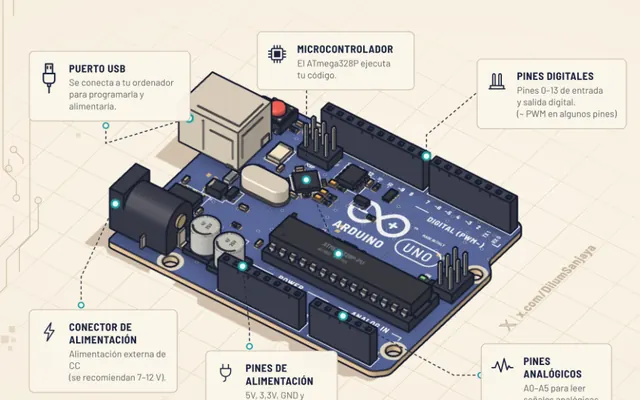
A 3D Arduino Uno: from lighting an LED to your first project
@DilumSanjayaMade with ClaudeIn Spanish