Build your own lab with Claude
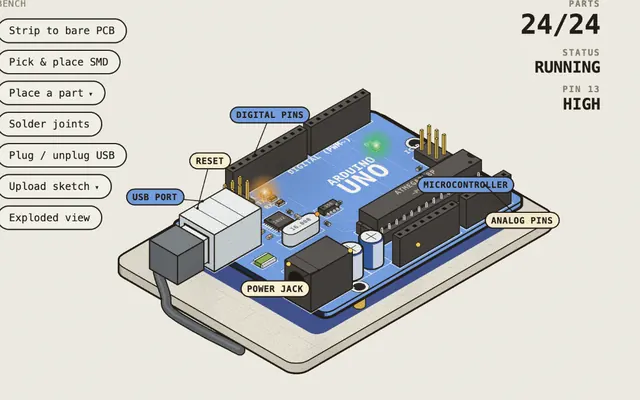
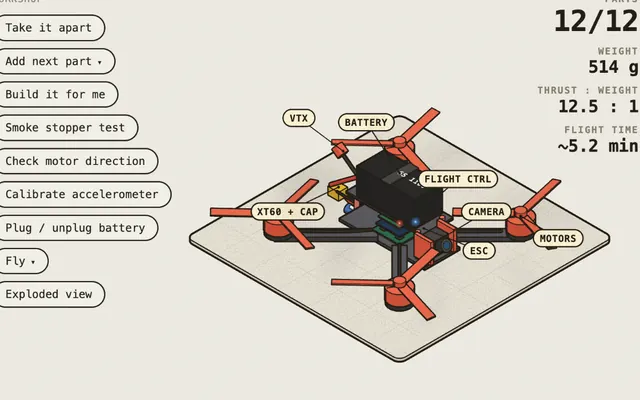
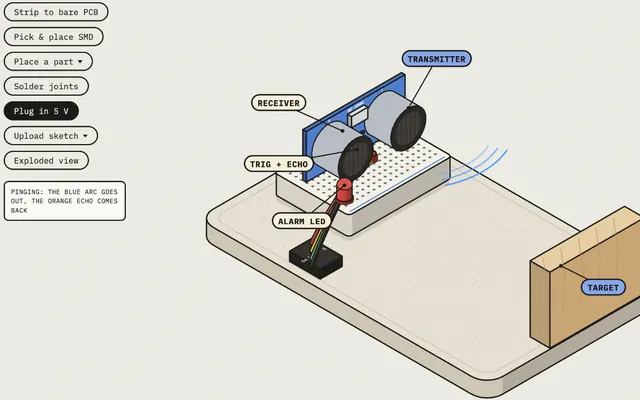
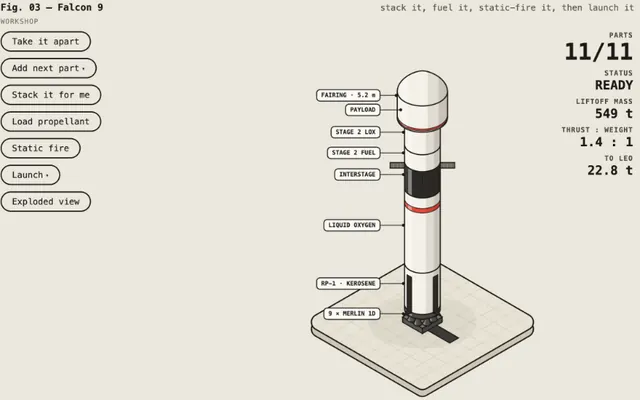
Robotics Bench, Hardware Bench, Drone Lab, Launch Bench and the Visual Learning machines came out of a skill, according to their authors. You describe an object to Claude and it draws it with working buttons and a view that shows the parts inside.
Colorfigures
By @Aprilzz423, license MIT
You describe an object and Claude draws it by hand, in isometric, with working buttons, full rotation and a see-through mode that shows the parts inside with labels. That is how Robotics Bench, Hardware Bench and Launch Bench look. Each figure ends up in an .html file you open in the browser.
mkdir -p ~/.claude/skills && curl -fsSL https://april-zhu.com/colorfigures/colorfigures.tar.gz | tar -xz -C ~/.claude/skillsThen open a new Claude Code session. If you use Claude.ai or Windows, its page has other ways to install it, including a .zip download.
See Colorfigures on its siteAnatomy
By @wheresryan22, license MIT
You ask Claude to explain how something works and, instead of a diagram, it builds an object that does it, in isometric and with lots of small parts. According to its README, besides Claude Code it runs in Antigravity, OpenCode, Codex and MiniMax Code.
npx skills add wheresryan22/anatomy -gSkills are free, but you need a tool to run them in. Colorfigures includes instructions for Claude Code and Claude.ai; Anatomy also works with Codex, OpenCode and other agents, according to its README. For Claude Code you need a Claude plan that includes it.
What the community already made with these skills
Each one started with a question and a skill. Open them before writing your prompt: they give you an idea of what to ask for and how far you can go.
- Explain a physical product with moving parts
- Classes where students press buttons instead of reading a paragraph
- Take hardware apart: a motor, a 3D printer, a board
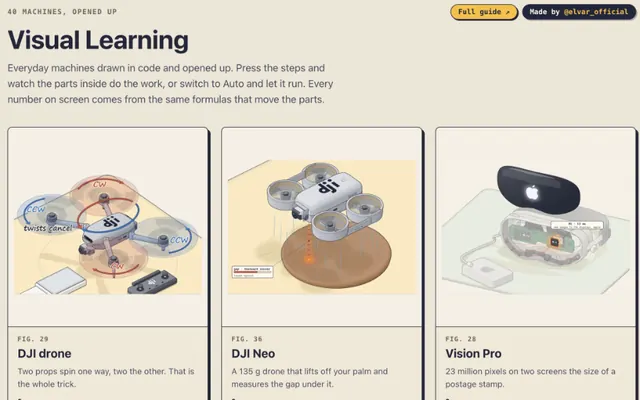
Visual Learning
The Anatomy skill in Claude Code, according to its author’s Article
@elvar_officialMade with Claude
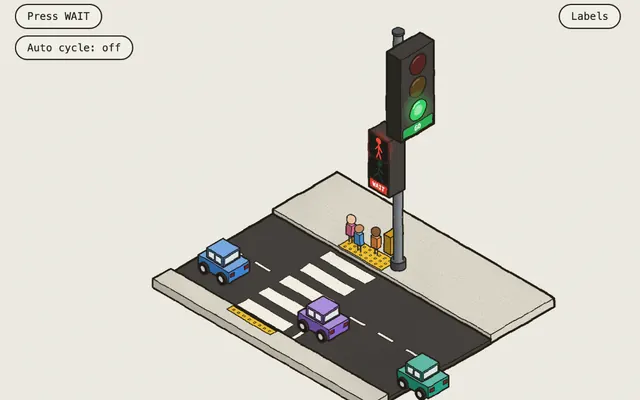
Step by step
- 1
Install one of the two skills
With the commands above. In Claude Code you call them with /colorfigures or /anatomy.
- 2
Pick the question
The best questions have a moving part and a number, as @elvar_official sums it up in his Article.
- 3
Paste the prompt
Change what is between brackets. A single object, with an inside view and a label on each part.
- 4
Review it like a critic
Press every button and look for what is wrong: a part in the wrong place, a number that doesn’t add up or a step that skips something. Ask for the fixes one at a time.
- 5
Let it break
Ask for a mode to change values and see what fails. Whoever can break the machine understands what each number does.
- 6
Open it and share it
It is a single HTML file: you open it in the browser and can send it to anyone.
Five questions from the roadmap to get started
- How does a servo know which angle to move to?
- How does an HC-SR04 measure distance?
- How does an H-bridge change a motor’s spin direction?
- How does an MPU-6050 know the board tilted?
- How does a buck regulator step 12 V down to 5 V?
/colorfigures explain how [a servo knows which angle to move to] for [someone who has never used a board].

Before drawing, research how [an SG90 hobby servo] really works.
I want a single interactive object, with see-through mode and a label on every part.
One button per step, in order: [the PWM signal arrives, the circuit compares, the motor turns, the potentiometer reports the position].
The numbers on screen should come from the same model that moves the parts.
Below the figure, a single idea in one line.
If you use Anatomy, change /colorfigures to /anatomy.
Common mistake
Asking for a topic instead of an object. "Electronics" comes out thin; "how does an SG90 servo know which angle to move to" comes out much better. @elvar_official explains it in his Article: if you ask for "a microwave", the agent draws a box with a plate; if you ask it to demonstrate the speed of light with a chocolate bar, it has to draw the standing wave.
By the end of this stage you should be able to
0 of 4
Your progress is saved in this browser.