Stage 1 of 6, weeks 1 and 2
Electronics from scratch
Your goal: Understand what happens in a simple circuit and why each part is there.
Many roadmaps skip this and jump straight into Arduino. Without Ohm’s law, anything you connect is guesswork.
Loading the 3D scene
What to learn
- 1Voltage, current and resistance (Ohm’s law)
- 2Why an LED needs a resistor
- 3Buttons, potentiometers and light sensors
- 4The transistor as a switch: a small signal controls a big current
A word doesn’t ring a bell? Look it up in the glossary.
Resources
 Learn ArduinoOpen
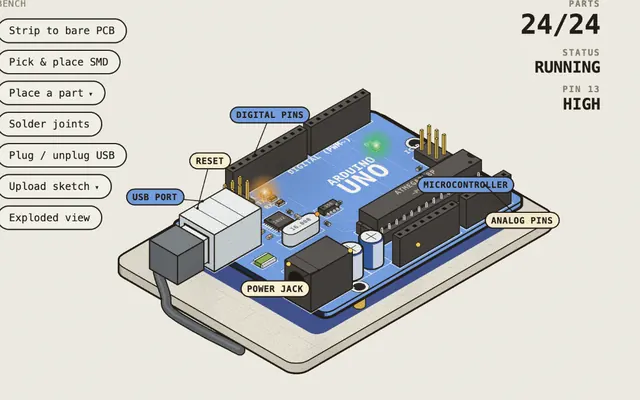
Lessons 1 to 6: board, LED, button, knob, colors and light sensor.
LabMade with Claude@DilumSanjayaSpanish and English
 Open
Open Open
Open
Common mistake
Plugging the LED in backwards. The long leg goes to positive; if it doesn’t light, check that first.
Did you get it?
Question 1 of 3
You have 5 V and a red LED that uses 2 V at 20 mA. What resistor do you calculate?
Practice
In Tinkercad, build an LED with its resistor and a button. Before simulating, work out the resistor with Ohm’s law and write it down. Example: with 5 V and a red LED of about 2 V at 20 mA, (5 - 2) / 0.02 = 150 Ω; in practice 220 Ω is used to leave margin. If the LED doesn’t light, find out why before moving on. Then open the Transistor switch board in Robotics Bench, break it on purpose and write down what changed.