Stage 2 of 6, weeks 3 and 4
Microcontrollers, Arduino and ESP32
Your goal: Write code that reads the world and controls an output, first on Arduino and then on ESP32.
This is where you start controlling the circuit with code. It is the stage where seeing which line drives which pin pays off most.
Loading the 3D scene
What to learn
- 1Your first blink and how to read a button
- 2PWM: controlling brightness and speed
- 3Serial communication to see what happens inside the board
- 4The ESP32-S3 pinout and why the ESP32 has Wi-Fi and Bluetooth
- 5Reading firmware line by line
A word doesn’t ring a bell? Look it up in the glossary.
Resources
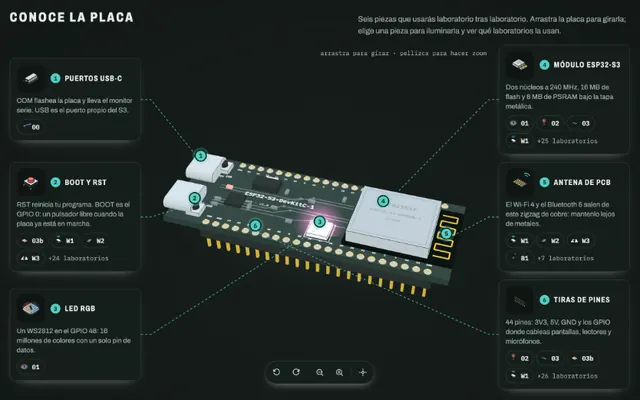 ESP LabsOpen
A live ESP32-S3 pinout and the firmware explained line by line.
LabMade with Claude@abderrahmen_gSpanish and English
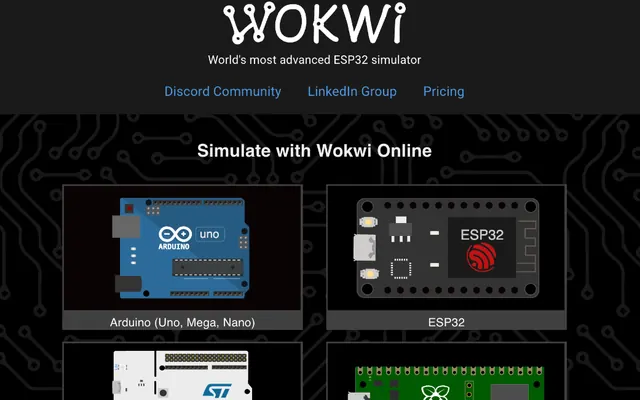 Open
Open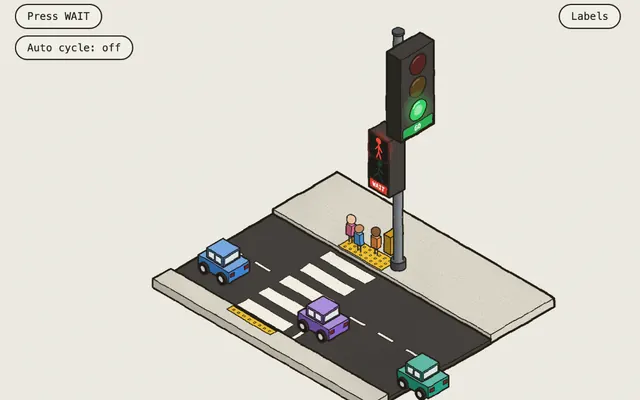 The Colorfigures galleryOpen
Open the traffic light (figure 8): the WAIT button and the light cycle are the classic first Arduino project.
CollectionMade with Claude@Aprilzz423English
Review: Go back to Learn Arduino lessons 2 to 4 (LED, button and knob), but now pay attention to the code. See Learn Arduino.
Common mistake
Using delay() for everything. delay() stops the whole loop: while it waits, your program reads no sensors. To wait without blocking, use millis().
Did you get it?
Question 1 of 3
What does digitalWrite(13, HIGH) do on an Arduino Uno?
Practice
In Wokwi, write a program that reads a potentiometer, changes an LED’s brightness with PWM and prints the value over serial. First on an Arduino Uno, then move it to an ESP32. Notice the range each one prints: the Uno reads 0 to 1023 and the ESP32 0 to 4095. Find out why before moving on.