Stage 4 of 6, week 7
What lies underneath: the processor and the network
Your goal: Understand what the chip does with your code and what happens when your board connects to the internet.
It looks like a detour, but a robot is a processor running your firmware and, very often, talking over Wi-Fi. This week you will see how everything so far connects.
Loading the 3D scene
What to learn
- 1An instruction’s trip through the pipeline (IF, ID, EX, MEM, WB)
- 2Registers, ALU and cache
- 3DNS, TCP, TLS and HTTP: what happens when a device requests a page
- 4What surrounds the processor: power supply, fan and heatsink
A word doesn’t ring a bell? Look it up in the glossary.
Resources
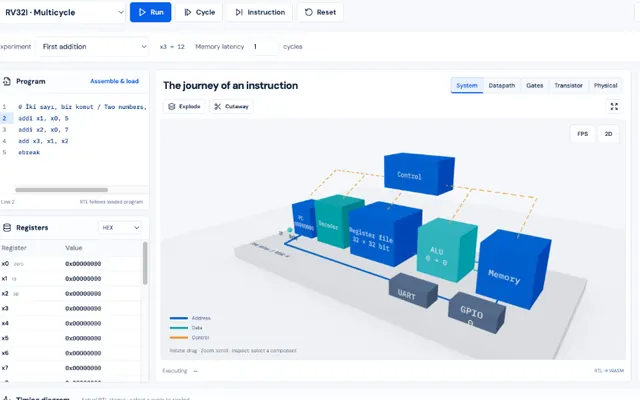 CPU AtlasOpen
Lessons 3, 4, 8 and 9: ALU, decoding an instruction, pipeline and cache.
Lab@aserdargunEnglish and Turkish
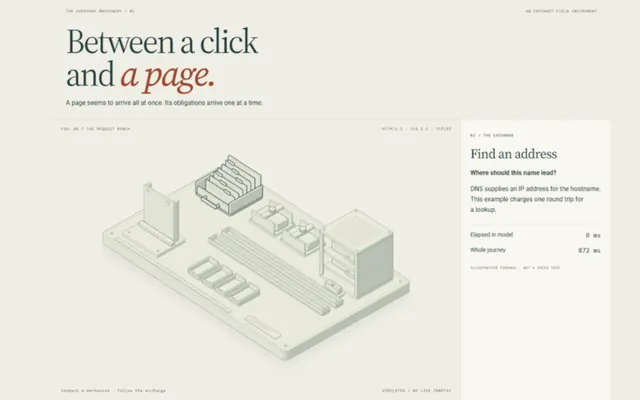 Open
Open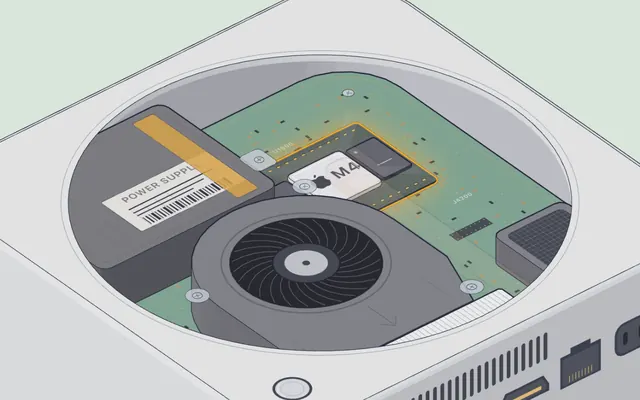 Mac mini: what is inside a computerOpen
Open a computer from below and follow the air to the chip.
Visual Learning machineMade with Claude@elvar_officialEnglish
Common mistake
Thinking "no internet" is a single problem. Your ESP32 makes this same trip every time it calls an API over HTTPS: DNS, TCP, TLS and HTTP. If something fails, it fails at one of those steps, and now you know where to start looking.
Did you get it?
Question 1 of 3
What does DNS do?
Practice
Explain out loud, without looking at the screen, an instruction’s trip through the pipeline and what happens between your ESP32 requesting a page and receiving it. If you get stuck, go back to that step of the lab.