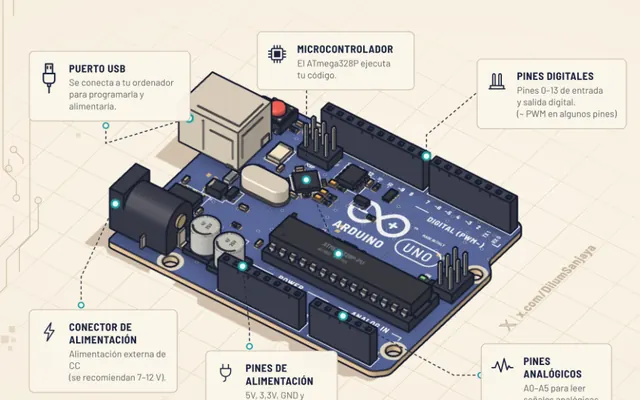
Learn Arduino
A 3D Arduino Uno: from lighting an LED to your first project
@DilumSanjayaMade with ClaudeIn Spanish
3D labs that run free in your browser, with nothing to install. Try it below: run the code, change the delay and pull out the resistor.
3D Arduino Uno with a red LED and its resistor on a breadboard.
Loading the board in 3D
1void setup() {2 pinMode(13, OUTPUT);3 Serial.begin(9600);4}56void loop() {7 digitalWrite(13, HIGH);8 Serial.println("on");9 delay(1000);10 digitalWrite(13, LOW);11 Serial.println("off");12 delay(1000);13}
Serial monitor
Every pass through loop() turns pin 13 on and off. The small LED marked L on the board does the same. Peak: .
You ask Claude to explain how something works and, instead of a paragraph, it builds you a machine you can run in the browser. That is how almost every lab on this site was made.
Many came out of two free skills, Anatomy and Colorfigures. With either one you can build your own.
A see-through view with a label on each part: the motor, the gears, the chip.
One button per step or automatic, with the numbers moving on screen.
Break the board on purpose and see what fails before spending on parts.
Made by people in the community. 18 of the 24 labs and machines were made with Claude, according to their authors.
A 3D Arduino Uno: from lighting an LED to your first project
@DilumSanjayaMade with ClaudeIn Spanish
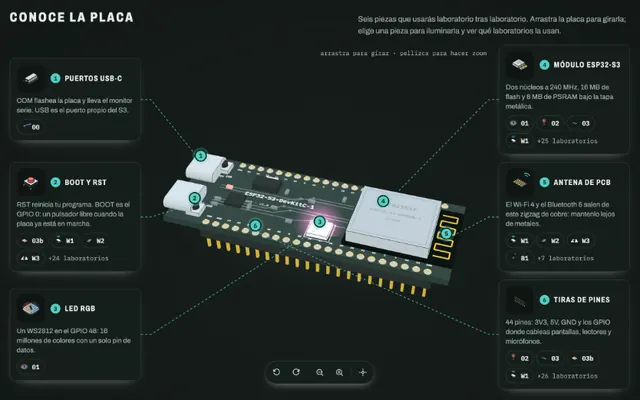
ESP32-S3 with a live pinout and the firmware explained line by line
@abderrahmen_gMade with ClaudeIn Spanish
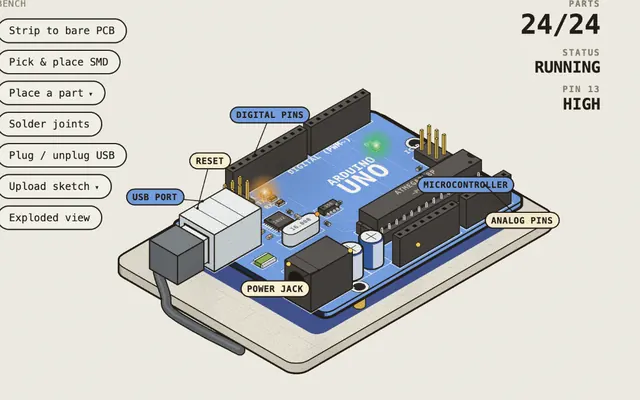
13 real boards you assemble like in a factory, power up and break
@0xMovezMade with Claude
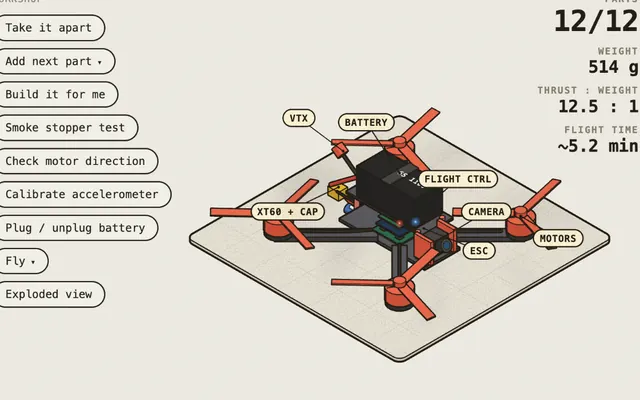
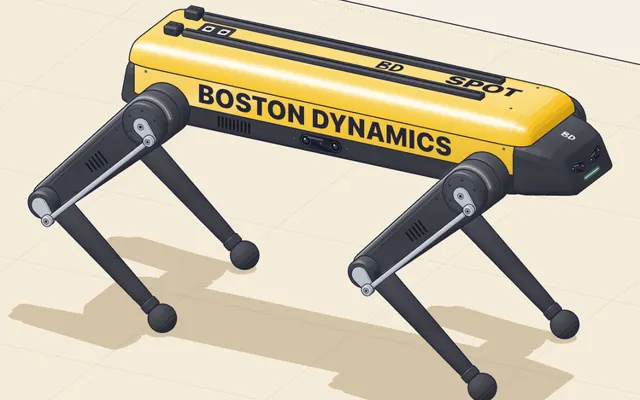
12 motors, 5 pairs of cameras and a leg with three motors
@elvar_officialMade with Claude
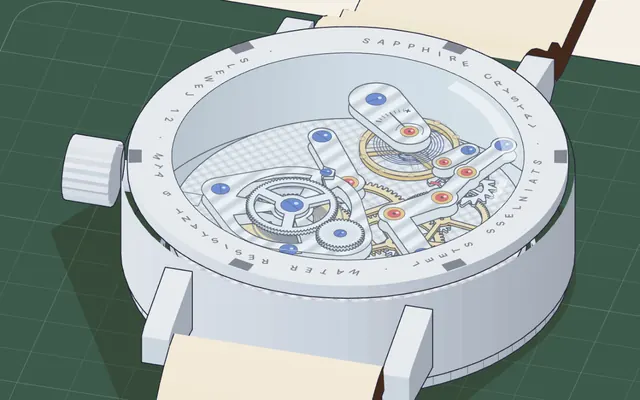
Gear train and escapement: how a spring’s energy is shared out
@elvar_officialMade with Claude
The same labs, in order. Each stage brings a 3D lab, the visual learnings for that topic, a common mistake, a practice, a checklist and three questions. Your progress is saved in this browser.
Our first visual learning, now in 3D. Move the PWM pulse width and watch the circuit compare, the motor turn and the potentiometer report the position. Then disconnect the potentiometer and see what happens.
Open the labWith a Claude skill you describe a part and get an interactive figure, with one button per step and an inside view.
mkdir -p ~/.claude/skills && curl -fsSL https://april-zhu.com/colorfigures/colorfigures.tar.gz | tar -xz -C ~/.claude/skills/colorfigures explain how [a servo knows which angle to move to] for [someone who has never used a board].
Before drawing, research how [an SG90 hobby servo] really works.
I want a single interactive object, with see-through mode and a label on every part.
One button per step, in order: [the PWM signal arrives, the circuit compares, the motor turns, the potentiometer reports the position].
The numbers on screen should come from the same model that moves the parts.
Below the figure, a single idea in one line.@0xKapri shares each one with who made it, what you learn and what it is for. If you find one that should be here, send it over.