Stage 3 of 6, weeks 5 and 6
Motors, drivers and sensors
Your goal: Understand how a robot moves and how it knows what is in front of it.
A microcontroller can’t drive a motor directly: it needs a driver. This is where it is easiest to burn your first board, which is why the simulator saves you the most here.
Loading the 3D scene
What to learn
- 1DC motors and why they need a driver (TB6612FNG, L298N)
- 2Servos: moving to an exact angle
- 3Distance (HC-SR04) and motion (MPU-6050) sensors
- 4Optical sensors: detecting something without contact and deciding when to trigger
- 5Actuators in real objects: geared motors, worm gears and counterweights
- 6When to use a microcontroller and when a Raspberry Pi 5
A word doesn’t ring a bell? Look it up in the glossary.
Resources
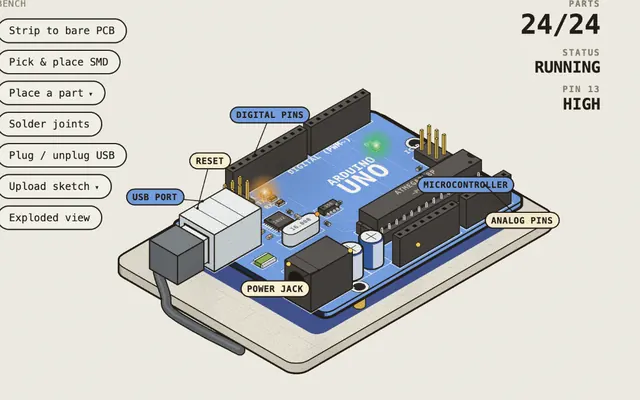 Robotics BenchOpen
TB6612FNG and L298N drivers, A4988, PCA9685, MPU-6050, HC-SR04, QTR-8RC and Raspberry Pi 5.
LabMade with Claude@0xMovezEnglish
 Open
Open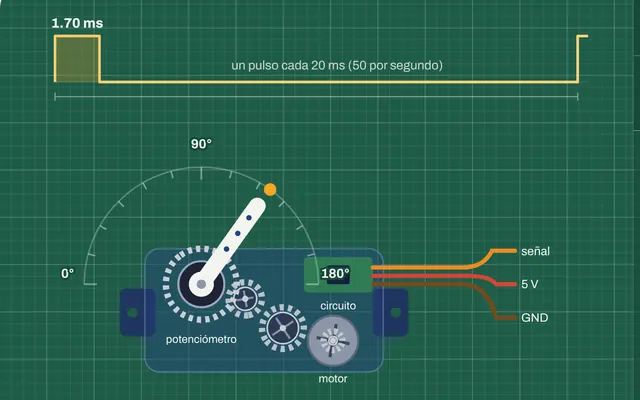 SG90 servo: from PWM to angleTry it
Our lab: how a servo turns the PWM pulse into an angle.
RobotVisual labMade with ClaudeRobotVisualSpanish, English and Portuguese
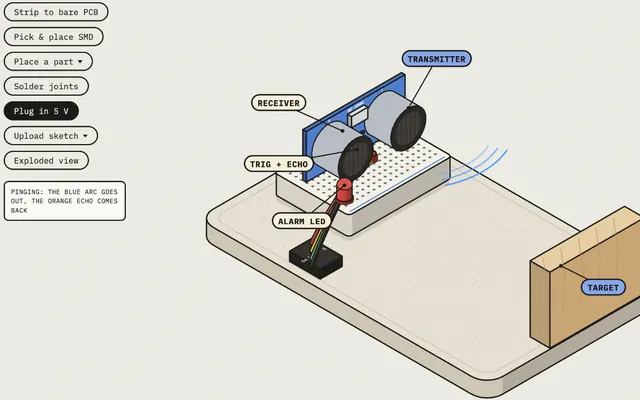
- HC-SR04 sensor: how it measures distanceTry it
Our 3D lab: the sensor’s echo and the distance math.
RobotVisual labMade with ClaudeRobotVisualSpanish, English and Portuguese
- H-bridge: how a motor changes directionTry it
Our 3D lab: the four switches that reverse a motor.
RobotVisual labMade with ClaudeRobotVisualSpanish, English and Portuguese
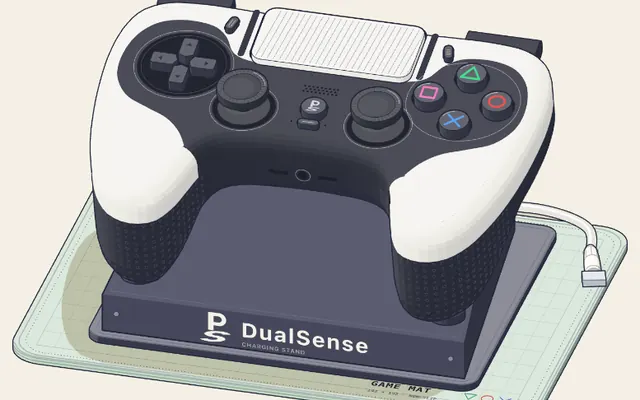 PlayStation controller: a trigger that pushes backOpen
A motor, a worm gear and gears: the actuator in a controller’s trigger.
Visual Learning machineMade with Claude@elvar_officialEnglish
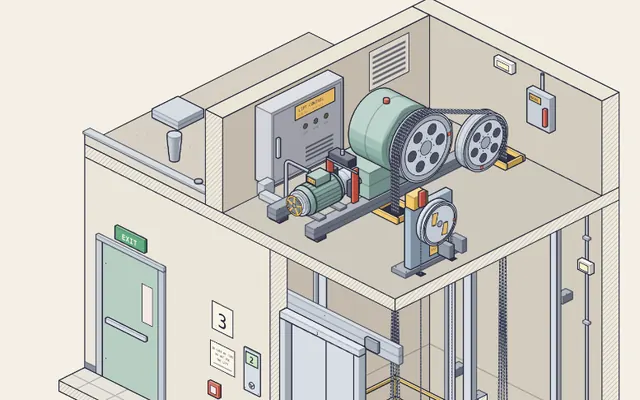 Elevator: why a small motor lifts a heavy carOpen
Why the load a motor sees depends on the mechanism, not just the weight.
Visual Learning machineMade with Claude@elvar_officialEnglish
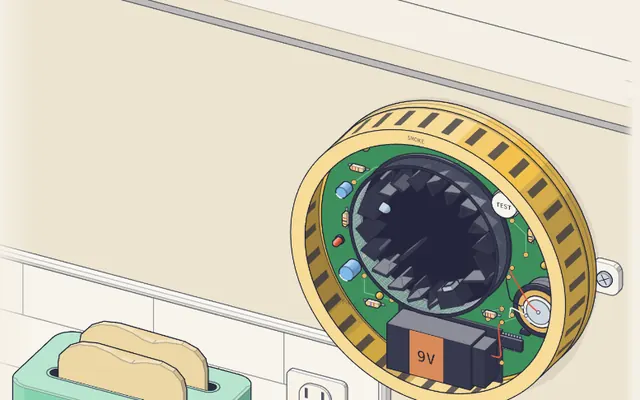 Smoke alarm: a sensor that sees in the darkOpen
A light sensor that detects smoke without contact and decides when to sound.
Visual Learning machineMade with Claude@elvar_officialEnglish
Review: Learn Arduino has motor and servo lessons (10 and 12), and closes with 16, where you build a project. See Learn Arduino.
Common mistake
Picking the L298N for your first project. It shows up in almost every tutorial, but according to @DeRonin_’s robotics guide it is an old driver: it loses about 2 V and runs hot. Learn it because you will see it everywhere, and for your real project pick a TB6612FNG or a DRV8833.
Did you get it?
Question 1 of 3
Why does a motor need a driver?
Practice
In Wokwi, wire an HC-SR04 and a servo to an Arduino. When something comes closer than 20 cm, the servo turns to 90°. Write down what failed on the first try. If you have time left, add an MPU-6050 and print its readings over serial.